Introduction:
In this blog I’ll explain why routers security is important and share the practical hands on walk through of the lab which i performed in Cisco Packet Tracer. Router are gateway to the network and if its not secured then unauthorized users can gain access and compromise the entire network. So in this project I learned how to secure the router by enabling Console, Telnet & SSH password protection.
Lab Setup:
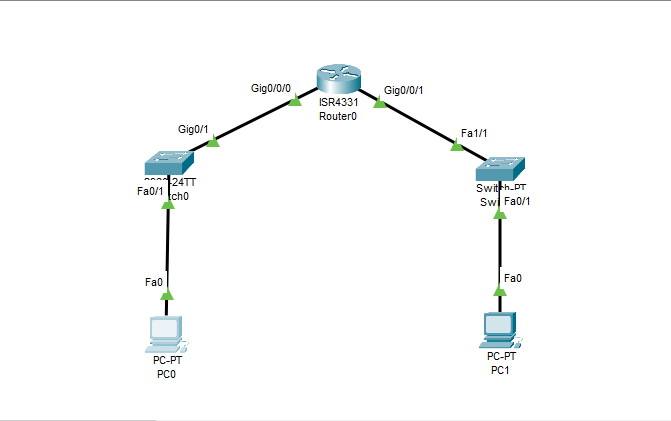
For the Lab setup in Cisco Packet Tracer, I drop the following to make topology;
1 cisco Router
2 cisco switches
2 PCs
Then connect them all through straight through cable wire & assign them all the IP addresses, subnet mask and gateway. After topology setup completion i do configure console password, then telnet and ssh password one by one, which I will explain further with all the commands in details.
Configure Console Password:
Console access is simple way to connect to router or switch using cable like console cable, to configure or manage the devices. So if someone gets console access they can fully control the device, change settings and break the network. It protect from unauthorized people to gain access.
Packet Tracer Commands:
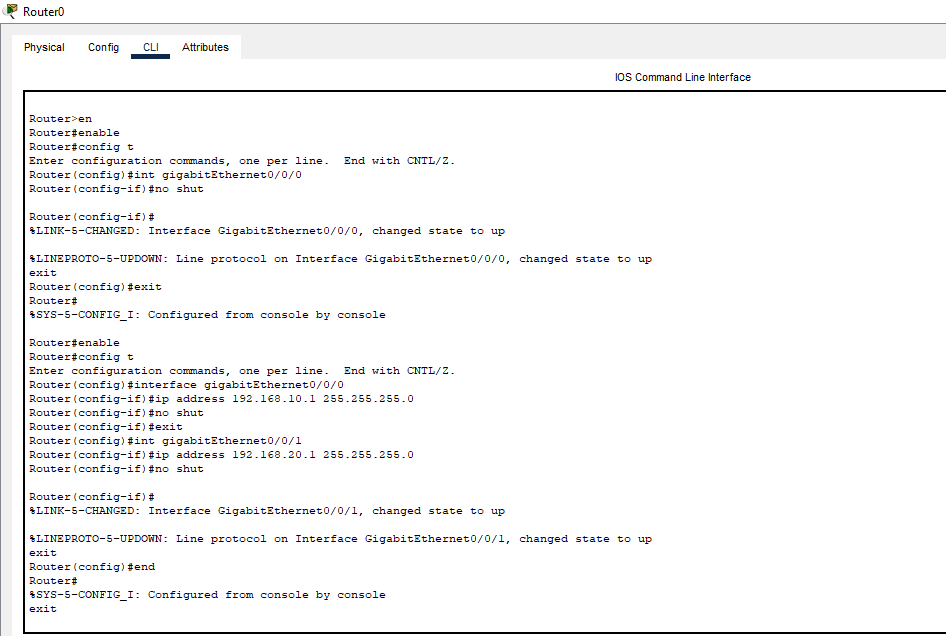
Router> enable
Router# config t
Router(config)# line console 0
Router(config-line)# password myconsole123 (”myconsole123” is password)
Router(config-line)# login
Router(config-line)# exit
The screenshots is attached here as well.
Configure Telnet Password:
Telnet is way to access remotely a router or switch over the network using commands. But telnet used plan text to send usernames and password so hackers can easily intercept it.
Packet Tracer Commands:
Router> enable
Router# config t
Router(config)# line vty 0 4
Router(config-line)# password telnet123 (”telnet123” is password)
Router(config-line)# login
Router(config-line)# exit
Now to test telnet from PC0 i do this using terminal;
*telnet 192.168.1.1*
Configure SSH Password:
SSH (secure shell) is way to remotely access router or switch as same like telnet but its more secure as compared to telnet because it encrypts all the data including passwords. So hackers cannot easily steal data .
Packet Tracer Commands:
Router> enable
Router# config t
Router(config)# hostname Router0
Router(config)# ip domain-name lab.com
Router(config)# crypto key generate rsa
press ENTER then.
Router(config)# username admin privilege 15 secret adminpass123
Router(config)# line vty 0 4
Router(config-line)# login local
Router(config-line)# transport input ssh
Router(config-line)# exit
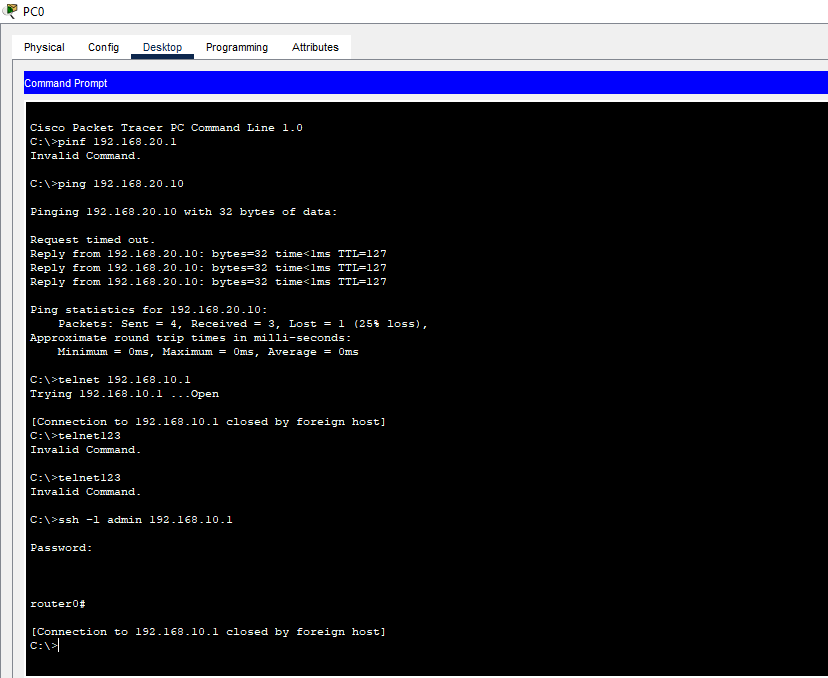
Now for testing SSH from PC1: Go to prompt terminal and type;
*ssh -l admin 192.168.1.1*
Commands I used for Configuration verification:
show running-config
show ip ssh
show line
Conclusion:
So in today’s blog I show how i do console, telnet and ssh password protection of router in lab step by step in easy and simple way. The protection of router is very important because it will save the network from access of attackers and unauthorized users. So if you want to try this lab you can download the cisco packet tracer file from my github or you can reach out to me via my social media handles. This practice helped me to fulfill the gap between theory and practical knowledge. I’m sharing my journey to becoming a cyber security professional step by step through blog posts, hands-on labs, and GitHub projects. Here is my github project link you can check it or you can also follow me on my other social media profiles. https://github.com/munazajamil/Windows-7-Penetration-Testing-Report. So if you want to start learning ethical hacking start with free resources available on YouTube and read books. If you found this guide useful keep an eye out for additional cyber security tutorials for beginners! Stay tuned with my blog for additional real life cyber security walkthroughs. Just check out the cyber security roadmap for beginners.
https://munazajameel.site/cybersecurity-roadmap-2025-beginners/. OR you can check out my YouTube channel for better content. https://www.youtube.com/@itzmunazah or tiktok & instagram.
This was it for today and i’ll see next time!!!